
blindfold: let AI agents use credentials without seeing them
If you've ever pasted an API key into Claude Code, or let it read your .env, that key now lives in a transcript on your disk and in a request that went to the model provider. I built a small tool called blindfold so my agents can use credentials without ever seeing them, and so I can move those credentials between my dev boxes without pasting them anywhere. This post shows how it works, what it protects against, and what it doesn't.
I use Claude Code and Codex every day, on my laptop and on a couple of remote Linux and macOS boxes. Sooner or later every task needs a real credential: a read-only database, an internal API, an Elasticsearch cluster. And every time, the agent would stop and wait while I figured out how to hand it the credential without it leaking into the chat transcript. I got tired of being the bottleneck.
Where your keys end up today
Here's a quick check you can run right now. Take the first eight or so characters of an API key you've used with an agent, and search your transcripts for them:
grep -rl "<first chars>" \
  ~/.claude/projects \
  ~/.codex/sessions
Claude Code saves every session as a .jsonl file under ~/.claude/projects/. Codex does the same under ~/.codex/sessions/. Anything that showed up in the conversation is in those files: the key you pasted, the .env the agent read to "check the config", the connection string a client printed in an error. Those files stay on your disk long after the session ends, they're easy to grep, and their contents were sent to a model provider.
Nobody does this on purpose. The agent hits an auth error, asks for the key, and you paste it because you want the task done. Or it finds .env on its own, because that's where credentials usually are. The convenient path is the leaky one.
The idea: hand the key to the command, not the agent
The agent never needs to read a key. It needs a command that uses the key to work. So blindfold puts the key in the environment of that one command and nowhere else.
You store a credential once, at your terminal. A credential is a named bundle of environment variables. Some are sealed (secret), and some are public, like a host or an endpoint that belongs with the key:
blindfold add pg-ro \
  --var PGHOST=replica.internal \
  --var PGUSER=ro \
  --var PGDATABASE=analytics \
  --secret PGPASSWORD
blindfold asks for PGPASSWORD without echoing it, so the value never sits in your shell history or in the process list.
The agent can see what exists:
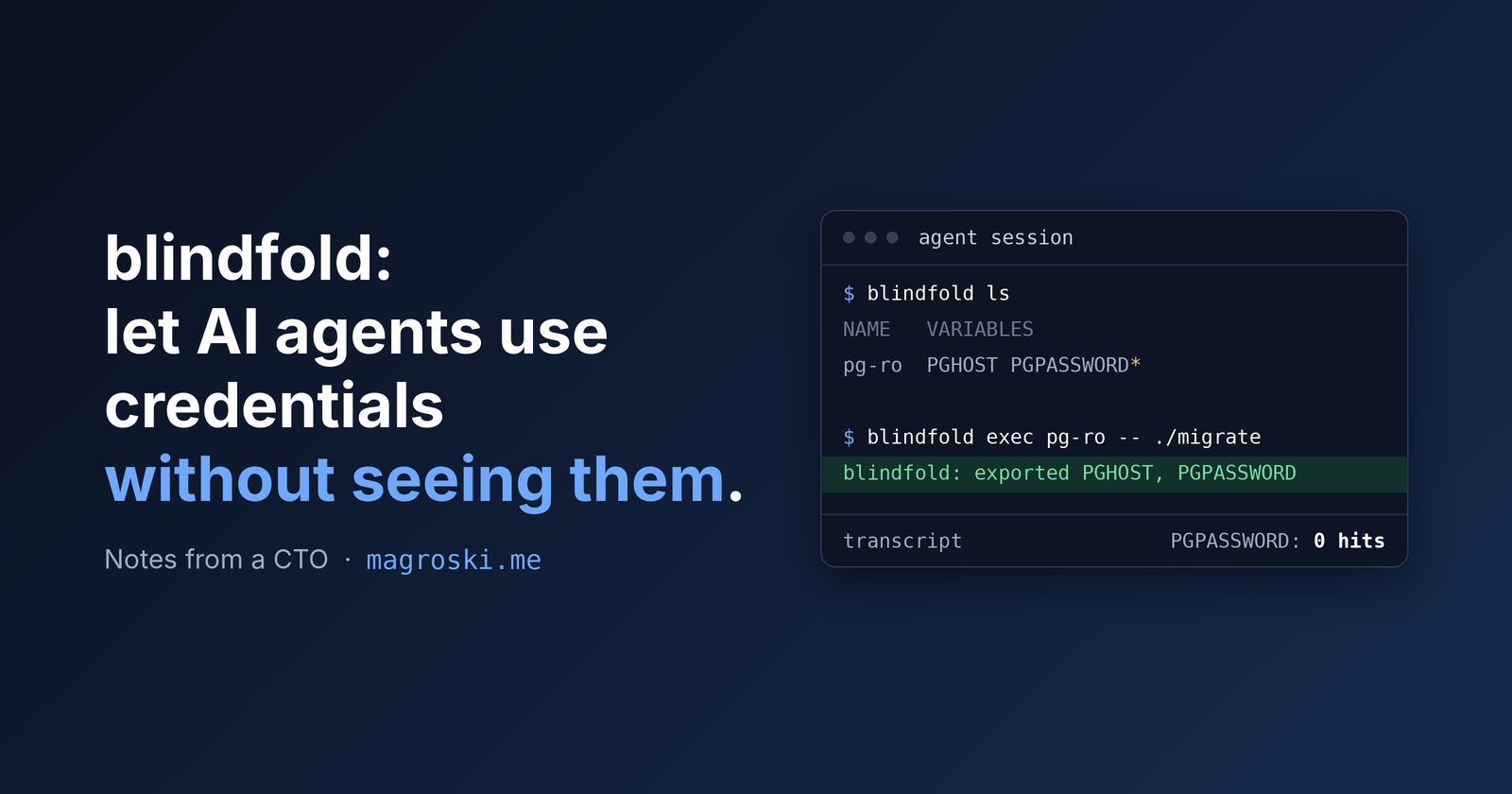
blindfold ls
That prints names, the variables each credential sets (secret ones marked with a *), and a description. Nothing it prints is secret, so it's safe in a transcript.
Then the agent runs its command through blindfold:
blindfold exec pg-ro -- ./migrate
The command gets PGHOST, PGPASSWORD and the rest in its environment. The only thing blindfold prints is a line on stderr naming the variables it loaded. The query result lands in the transcript. The password never does.
Scripts the agent writes read from the environment, the same way they would in production:
import os
key = os.environ["ES_API_KEY"]
Teaching the agent the habit
A CLI on its own doesn't change what an agent does. If .env is right there, it'll read it.
So blindfold ships as a plugin, an installable bundle of agent add-ons, for both Claude Code and Codex, with one skill called using-secrets. A skill is a set of instructions the agent loads when a task matches its description. This one kicks in on things like DATABASE_URL, an auth failure against an internal service, or "I don't have credentials". It tells the agent to run blindfold ls, then blindfold exec, and to ask you to add a credential instead of going hunting through .env files, shell history or ~/.pgpass.
It also covers the mistakes an agent makes when it's trying to be helpful. Say a credential sets DATABASE_URL. This looks right but doesn't work:
blindfold exec prod-db -- psql "$DATABASE_URL"
The agent's own shell expands $DATABASE_URL before blindfold loads anything, so psql gets an empty string. The skill shows the fix (let a shell inside the new environment expand it) and explains why a program that reads the environment directly is better still. It also says never to add curl -v, set -x or --debug to a command holding a credential, because those print headers and arguments straight back into the conversation.
One thing to know before you install: the plugin only carries the skill, not blindfold itself. Install the CLI first, or the agent will learn to reach for a command that isn't there. Download the release for your platform from the GitHub repo (its README shows how to verify the download before you run it), then create your vault:
blindfold init
With the CLI in place, adding the plugin to Claude Code is two commands:
claude plugin marketplace add magroski/blindfold
claude plugin install blindfold@blindfold
What's under the hood
The point of blindfold is to make the safe path the easy one, but it's still a credential store, so it has to be a good one.
Encrypted at rest. Each credential is encrypted with its own key, using XChaCha20-Poly1305, a modern cipher that also detects tampering. Those per-credential keys are in turn locked by one master key. On a Mac the master key lives in the Keychain. On Linux it lives in the Secret Service, the system keyring that GNOME Keyring and KWallet provide. On a headless server with no keyring, it comes from a passphrase or key file.
Tamper-evident. The non-secret metadata (names, descriptions, endpoints) sits in a readable vault.json, so ls doesn't need the master key. But each credential's key is bound to that metadata. If someone, or something, edits the file by hand to point PGHOST at a different server, the password stops decrypting. It doesn't quietly follow the new endpoint.
Plaintext is awkward on purpose. There's a blindfold get for when you need a value. It refuses to print when its output is piped, or when it detects it's running inside an agent's shell (Claude Code and Codex both set a marker variable). You can override that with --force, and the override is logged.
Audited. Every load and every refusal goes to an append-only log, with names and never values. blindfold audit shows you which credential was used, by which command, and when.
Syncing credentials between dev boxes
This is the other half of why I built blindfold. When I create a new API key on my laptop, it also has to reach my other boxes. Before, that meant pasting it into each one, or piping plaintext through ssh.
There are paid services that sync secrets for you, but they keep your credentials on their servers. I didn't want to pay for that, and I didn't want a company holding my keys online. A hosted vault is one more place to breach. blindfold syncs directly between your own machines over SSH, with no server in the middle.
Now each box gets a name once:
blindfold remote add my-box linuxbox
Here, linuxbox is anything ssh understands, including an alias from your ~/.ssh/config. Then blindfold sync compares every box with this one, side by side:
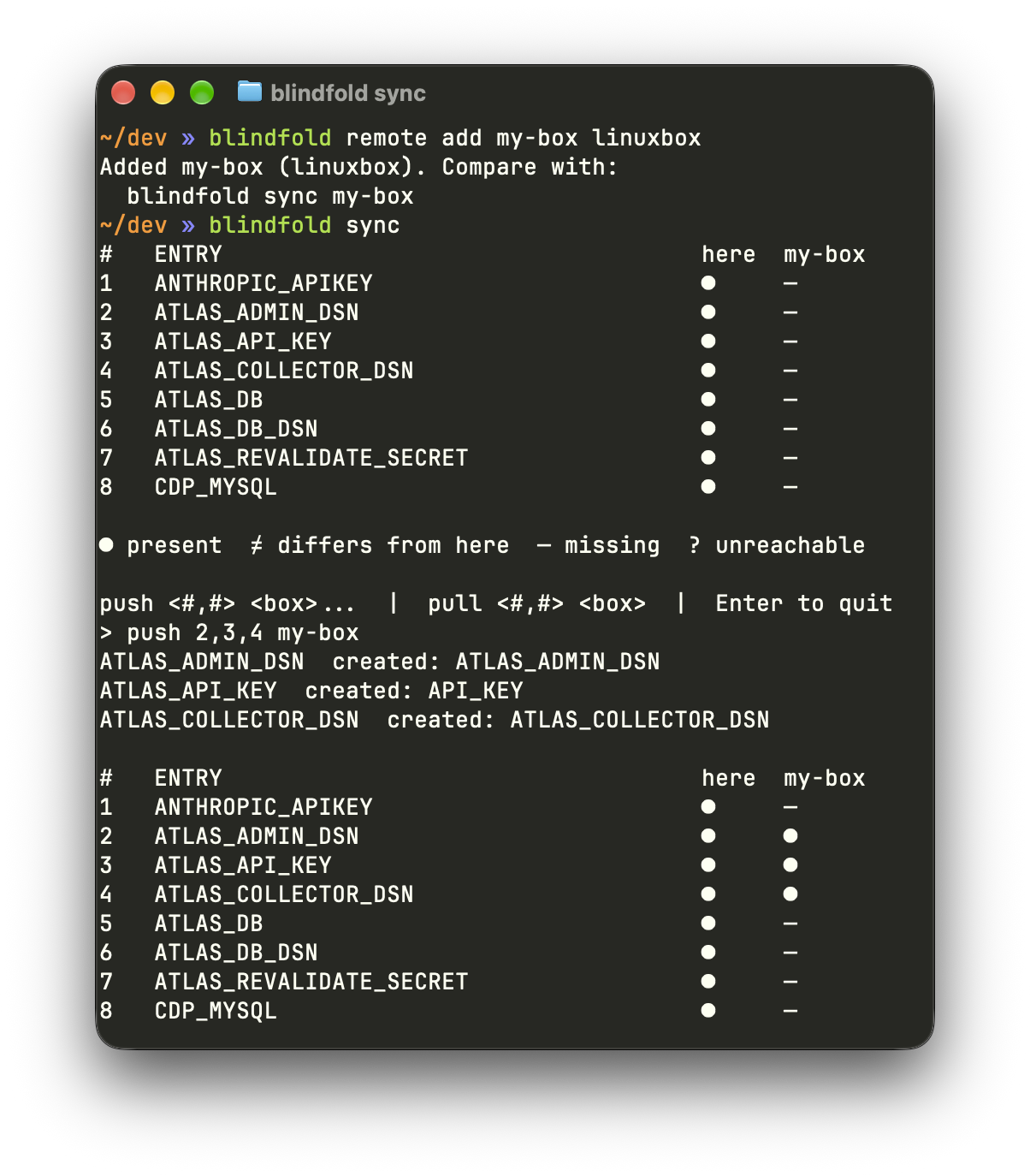
A dot means the credential is there, ≠ means it's there but different, and a dash means it's missing. At the prompt you type push 2,3,4 my-box, and those credentials are copied over. blindfold asks before replacing anything that differs.
A few things happen along the way that are worth knowing:
It uses your own
ssh. Your SSH config, your SSH agent and your list of known hosts all apply. Port and agent forwarding are turned off.There's a second layer of encryption inside SSH. Without it, an agent could run
ssh box blindfold sync-serveand read values straight off the stream. With it, the stream is ciphertext all the way through.Each box keeps its own master key. A credential is re-encrypted on arrival under the receiving box's key, so no master key ever leaves a machine.
"Differs" is checked without sending values. Each side sends a fingerprint of every credential, made with a key that only exists for that session. Matching fingerprints mean matching values, and the values themselves never cross.
A box can't sneak something in. A credential that sets a variable which can run code or redirect traffic, like
LD_PRELOAD,GIT_SSH_COMMANDorHTTPS_PROXY, is refused in both directions. Every stored credential also prints its variable names, so you can read what you just received.
What it doesn't protect against
I don't want to oversell this, because a security tool that overpromises is worse than none.
blindfold stops credentials leaking by accident or by default. It doesn't stop an agent that's set on reading one. Once a variable is in a command's environment, echo "$PGPASSWORD" prints it. blindfold also doesn't scrub output, so a database client that prints its connection string in an error message puts it in the transcript anyway.
Syncing adds one more trade-off. A box set up for sync has to unlock its vault on its own when blindfold logs in over SSH, because nobody is there to type a passphrase. So anything that can ssh into it as you can read it.
So two habits still matter:
Use read-only credentials that are cheap to rotate. Assume any key an agent touches might leak someday.
Let the harness police the agent instead of trusting it. Claude Code permission rules can put every value-printing command, every vault change and every
sshin anasklist, so each one needs your click. The repo has a ready-made list in its install docs. One rule I'd stress: don't put anyblindfoldcommand inallow. A rule likeblindfold exec:*would approve whatever command it wraps, includingblindfold exec pg-ro -- env.
How I built it, and how I made sure it holds up
I built blindfold with AI coding agents, which is fitting for a tool that exists to keep agents away from secrets. A tool like this is only worth something if its main claim is true, so the repo tests that claim directly.
scripts/leak-test.sh starts a throwaway Postgres in Docker and stores its password in a fresh vault. Then it runs a real Claude Code session and asks a question that needs the database. When the session ends, it searches every transcript that session wrote, subagents included, for the password in six encodings: plain, two kinds of URL encoding, two kinds of base64, and JSON-escaped. It also fails if the agent never used blindfold, because a test that passes only because the agent did nothing proves nothing.
The rest of the safety net is built the same way. The shell-quoting tests run blindfold's output through every shell it supports (sh, dash, bash, zsh and fish) instead of reasoning about quoting rules. Other tests parse the source code itself and fail the build if Keychain, D-Bus or ssh calls show up anywhere except the one file allowed to make them. On top of the tests, I had the code security-audited by several competing frontier agents. The sync feature alone went through several rounds of adversarial and security review before I merged it. Every finding was fixed together with a test that fails on the commit before the fix, so the same hole can't quietly come back.
Try it
blindfold is MIT-licensed and runs on macOS and Linux. The code, install steps and the full security model are at github.com/magroski/blindfold.
If you only take one thing from this post, run that grep on your transcripts. If it finds anything, rotate the key. Then give your agent a path where it never has to see the next one.